Overview
Make is a visual platform that allows you to design, build, and automate workflows without writing code. After you deploy your Agent, you can trigger it directly from Make and process the results within your scenarios.Run your deployed Agent from Make
1
Open connection settings
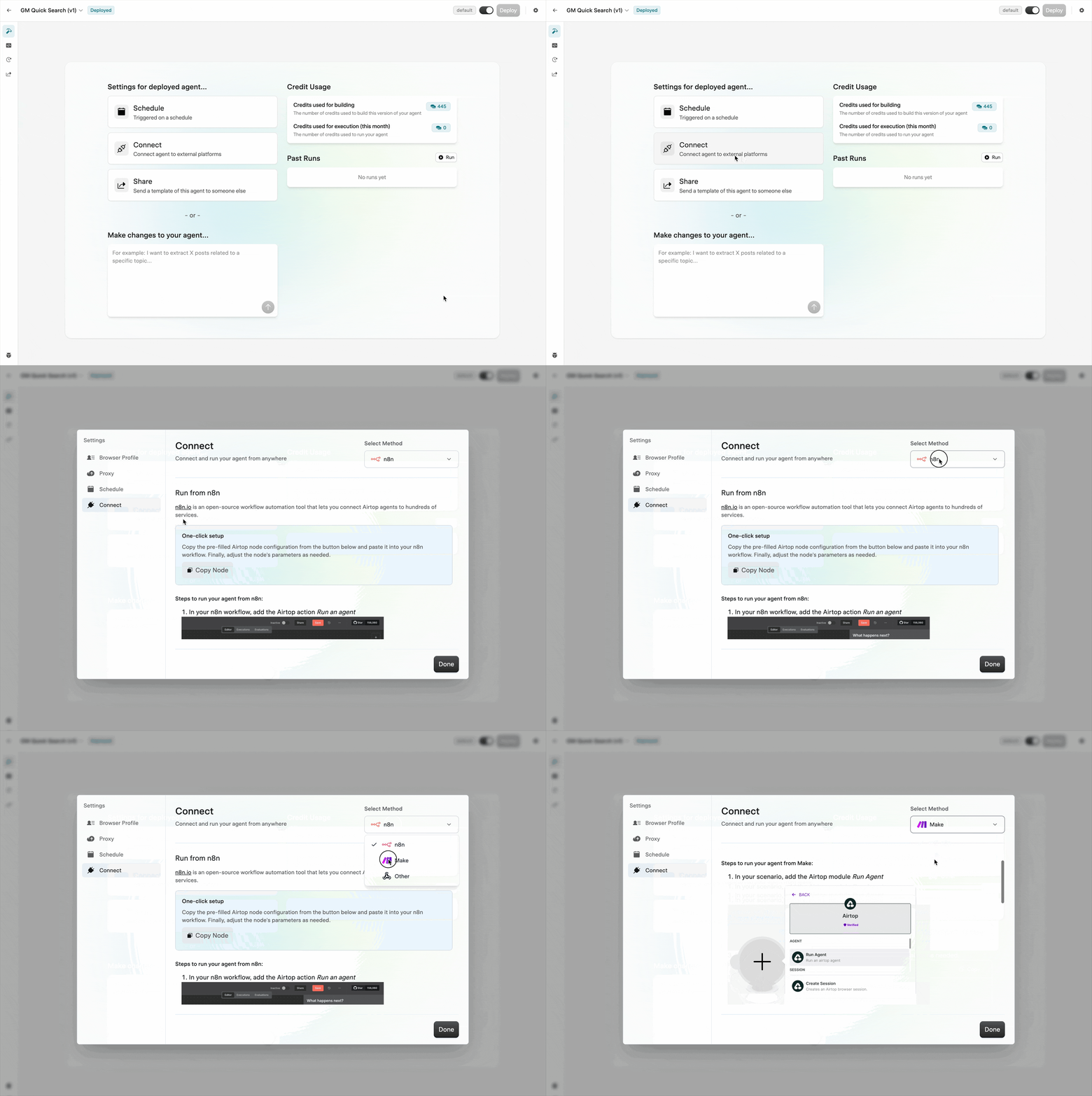
Navigate to your Agent’s build page and click Connect.

2
Add the Airtop module
In your Make scenario, add the Airtop Run Agent module.

3
Configure the Webhook URL
Enter the Webhook URL from the connection modal into the Webhook URL field.
4
Set Agent parameters
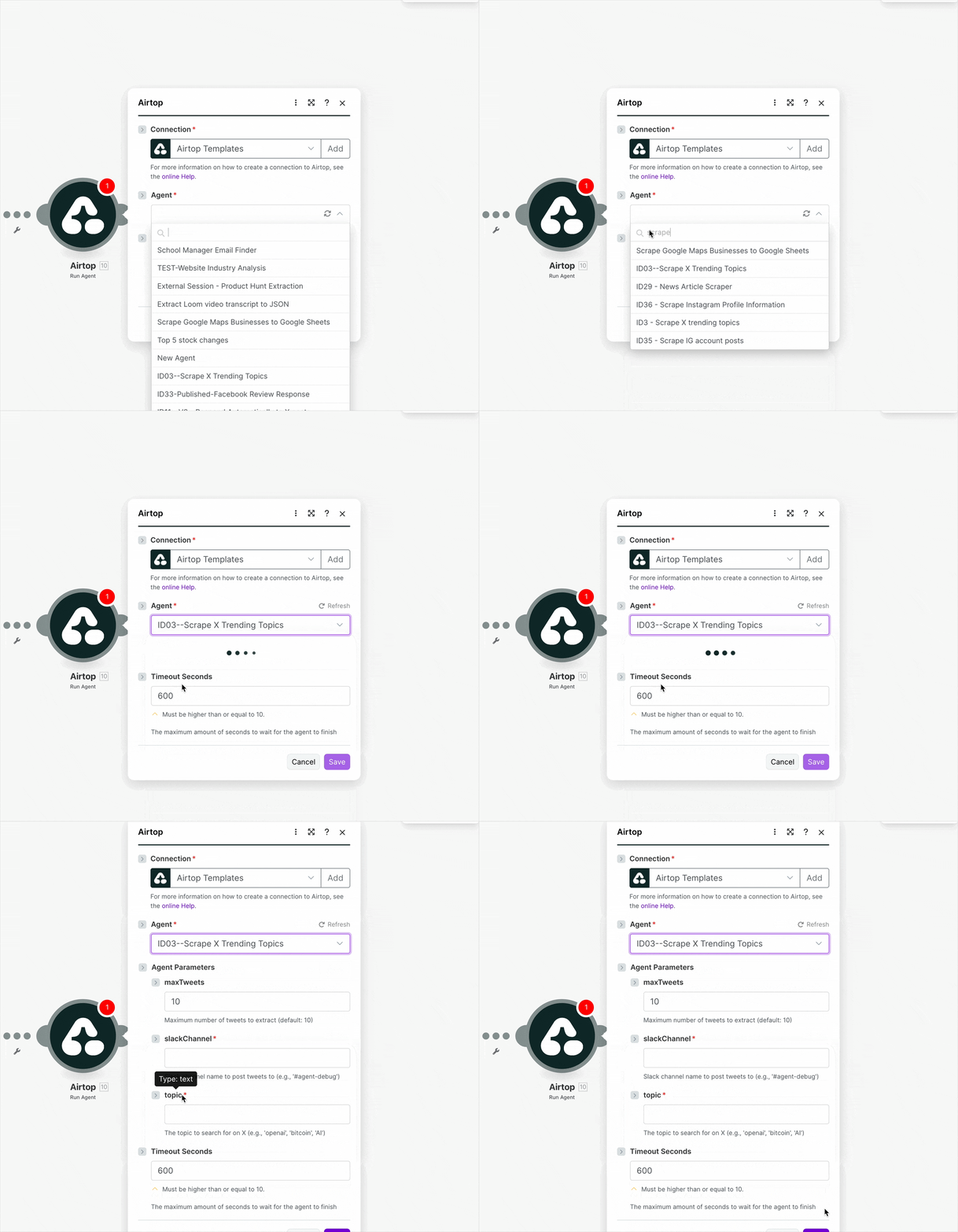
Copy the Agent’s parameters from the connection modal and paste them into the Parameters field in the Make module. Adjust the values as needed.When configured correctly, the module settings should look like this:

5
Run the scenario
Save your changes and run the scenario to test the integration.