> ## Documentation Index
> Fetch the complete documentation index at: https://www.airtop.ai/docs/llms.txt
> Use this file to discover all available pages before exploring further.
# Connect Airtop with Zapier
> Connect Airtop Agents with Zapier to automate workflows and integrate with thousands of apps.
## Overview
[Zapier](https://zapier.com) is a no-code automation tool that connects your favorite apps into automated workflows. After you **deploy** your Agent, you can trigger it directly from Zapier and use the results in your Zaps.
## Run your deployed Agent from Zapier
Navigate to your Agent's build page and click **Connect**, then select **Zapier** from the dropdown.
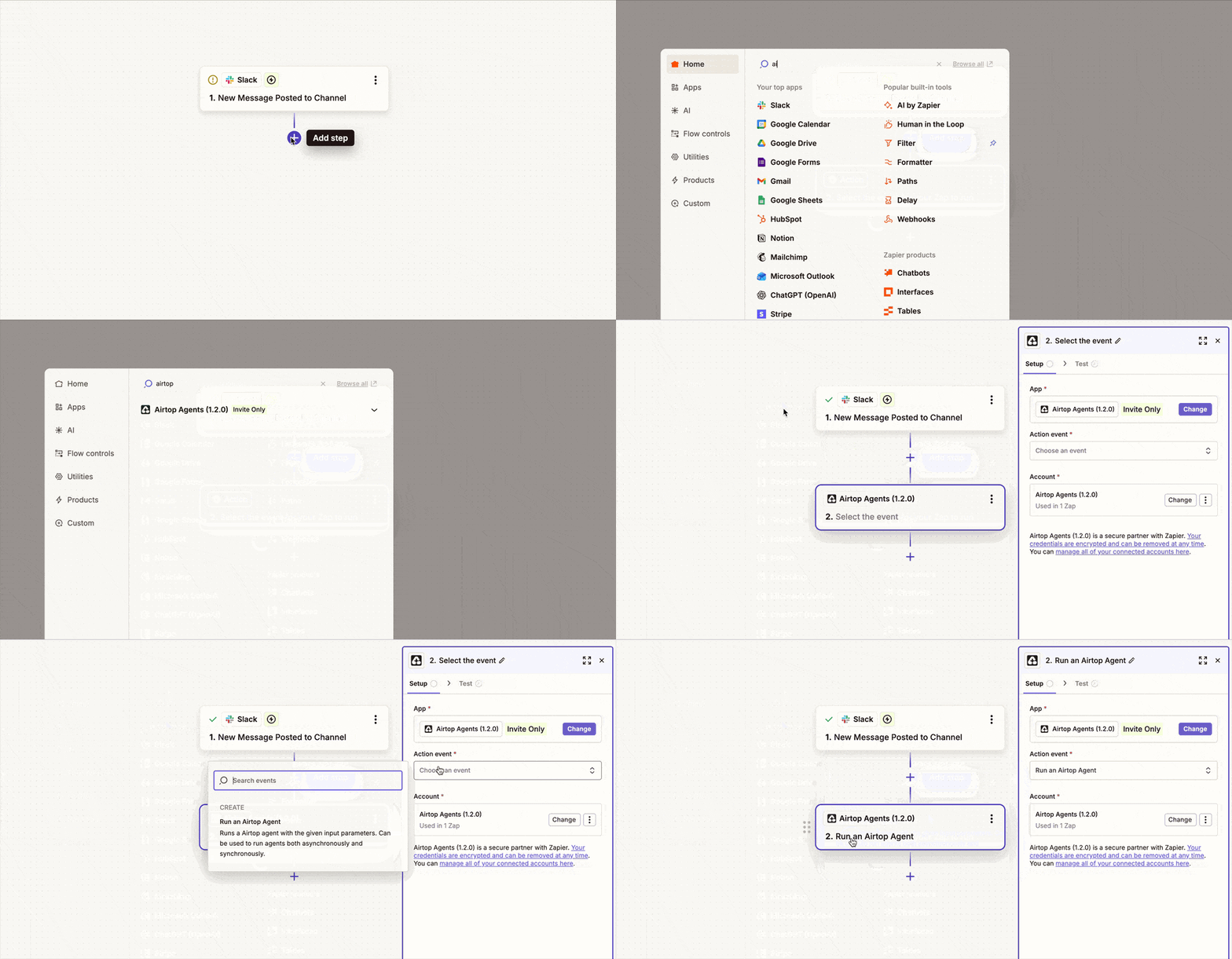
In your Zapier recipe (Zap), add the action **Run an Airtop agent** from the Airtop integration.
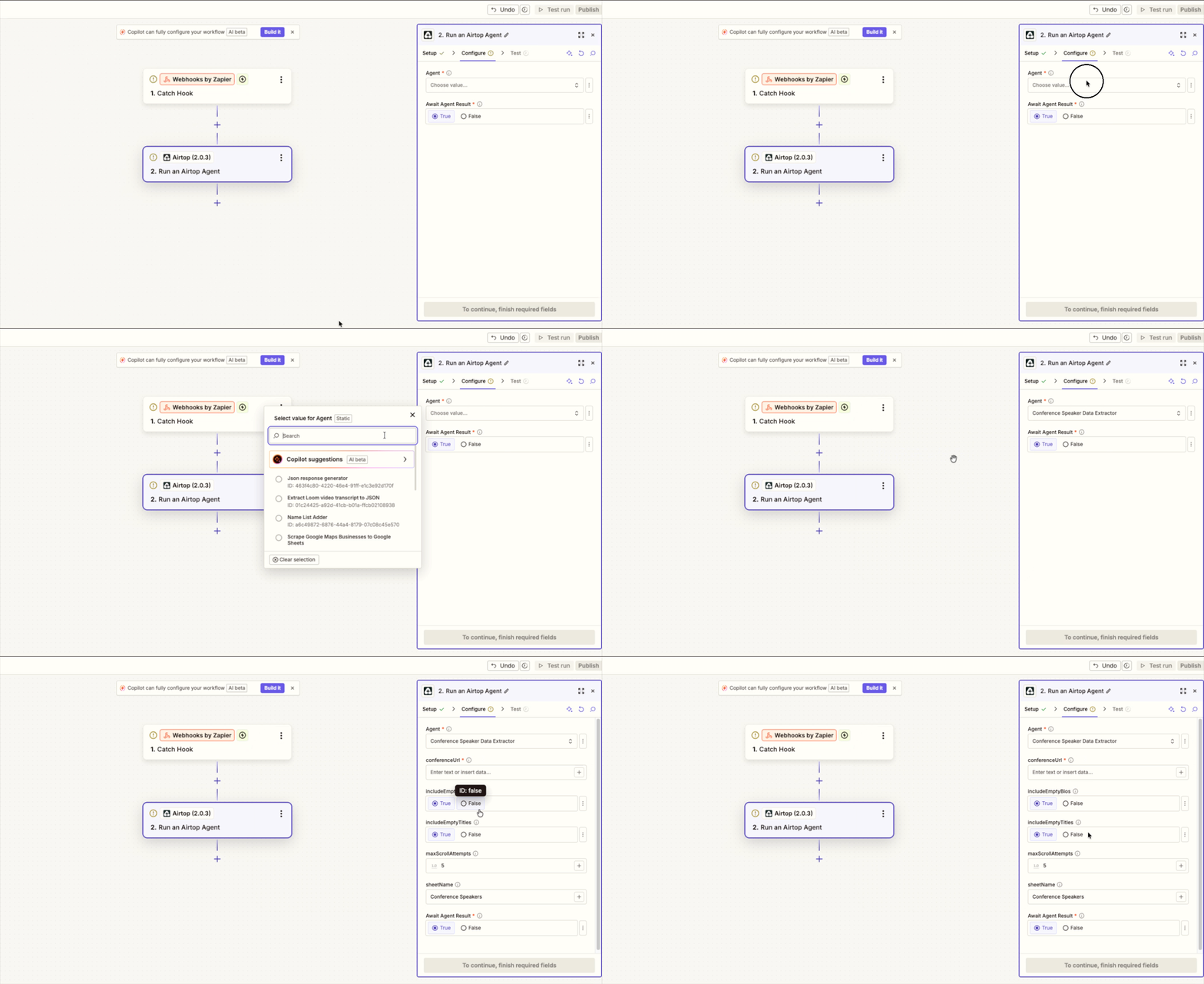
In the **Agent** dropdown, select the agent you want to use. If you don't see an agent listed, check the Airtop portal to ensure it is enabled.
After selecting the agent, the necessary paratemers will be loaded and displayed automatically. Configure the values accordingly. *Remember to check the field's tooltips for things like field constraints and formats*.
Test the step to ensure the connection works, then save your Zap.