> ## Documentation Index
> Fetch the complete documentation index at: https://www.airtop.ai/docs/llms.txt
> Use this file to discover all available pages before exploring further.

# Connect Airtop with n8n

> Connect Airtop Agents with n8n to build workflow automations and integrate with various apps and services.

## Overview

[n8n](https://n8n.io) is a workflow automation tool that enables you to connect apps and automate tasks. After you **deploy** your Agent, you can trigger it directly from n8n and process the results within your workflows.

<iframe width="560" height="315" src="https://www.youtube.com/embed/mOnklHt8S8k?si=JOi8U-kQu0kgFlhZ&" title="YouTube video player" frameborder="0" allow="accelerometer; autoplay; clipboard-write; encrypted-media; gyroscope; picture-in-picture; web-share" referrerpolicy="strict-origin-when-cross-origin" allowfullscreen />

## Run your deployed Agent from n8n

**Note:** Make sure your n8n instance is in [version 2.6.0](https://github.com/n8n-io/n8n/releases/tag/n8n%402.6.0) or above to use the latest features of Airtop Agents. Visit *[How to update n8n](https://docs.n8n.io/release-notes/#how-to-update-n8n)* for more details.

<Steps>
  <Step title="Add the Airtop node">
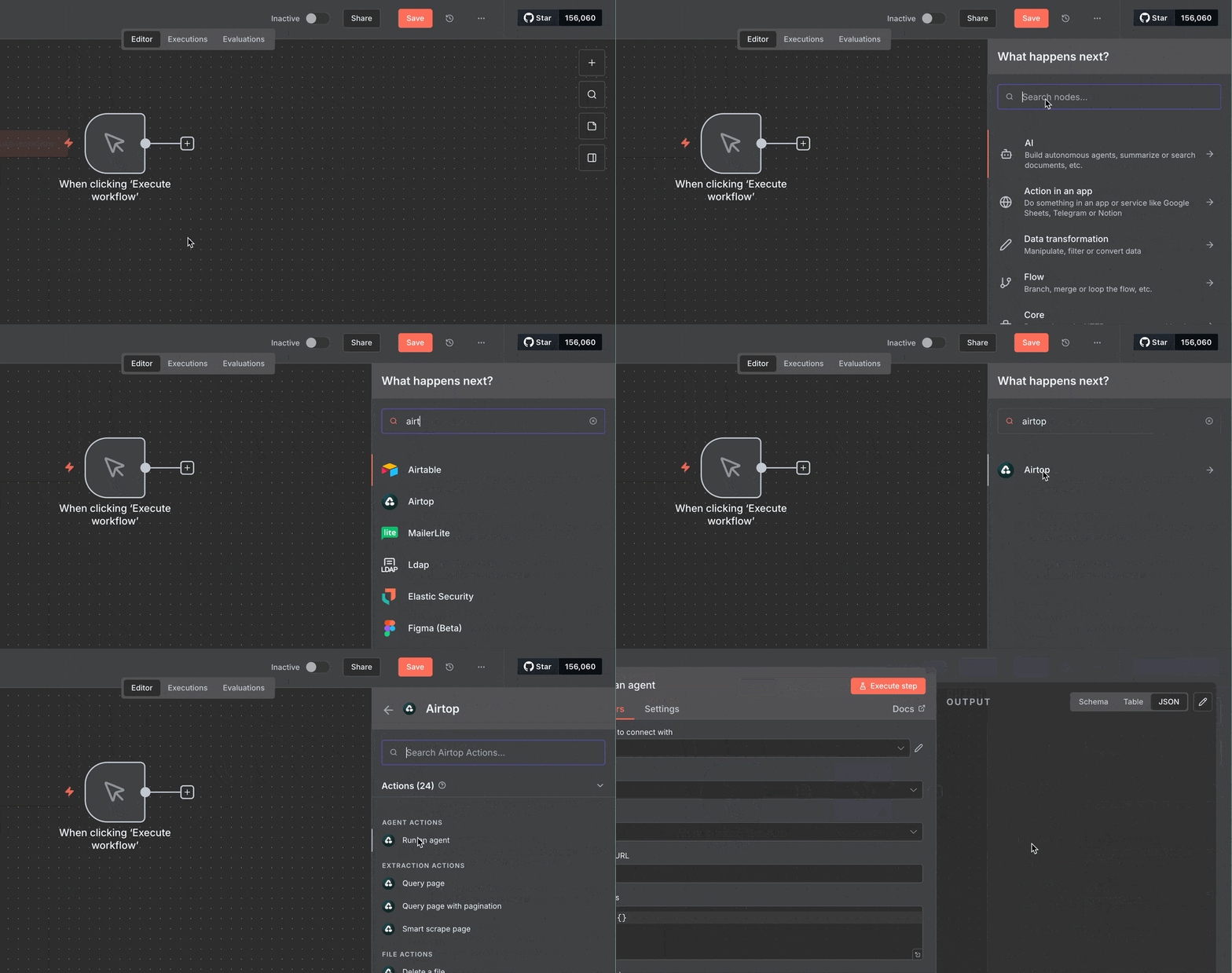
    In your n8n workflow, add the Airtop **Run Agent** node.

    <Frame>
      <img src="https://mintcdn.com/airtop/oHpPXySgqpXkyznL/images/connections/n8n-add-airtop-node.gif?s=d34d8f38062cb5ae2788d7c618f0256c" alt="Add Run Agent node in n8n" width="960" height="506" data-path="images/connections/n8n-add-airtop-node.gif" />
    </Frame>
  </Step>

  <Step title="Select your agent">
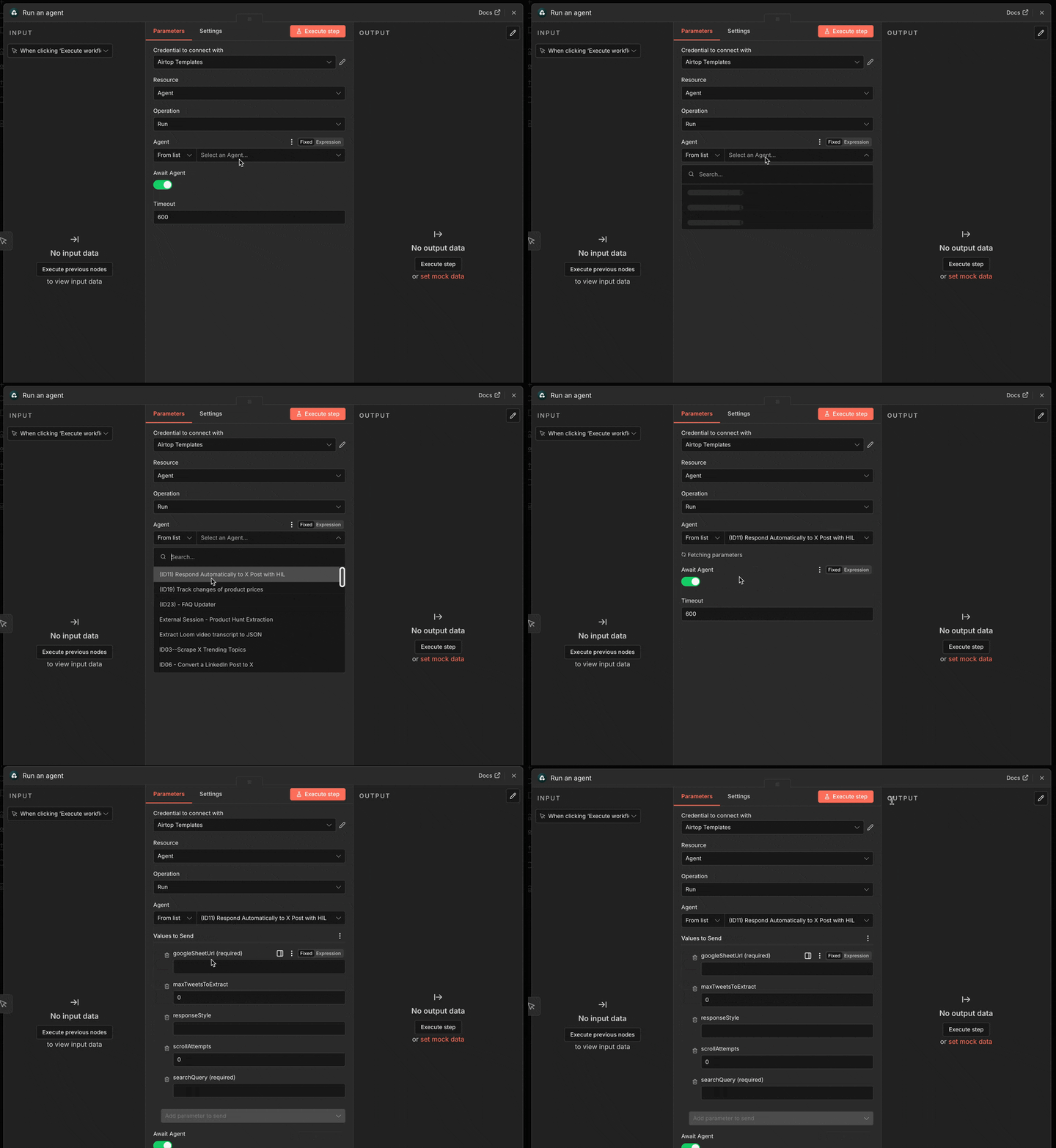
    Choose your agent from the list. Type the agent name to filer out the results.

    <Frame>
      <img src="https://mintcdn.com/airtop/l9Pt7x0vmm20HtfL/images/connections/n8n-node-select-agent.gif?s=a5aa520fac3b94b4ddd1e2d79ecfe12a" alt="Select agent from the n8 node" width="960" height="696" data-path="images/connections/n8n-node-select-agent.gif" />
    </Frame>
  </Step>

  <Step title="Set Agent parameters">
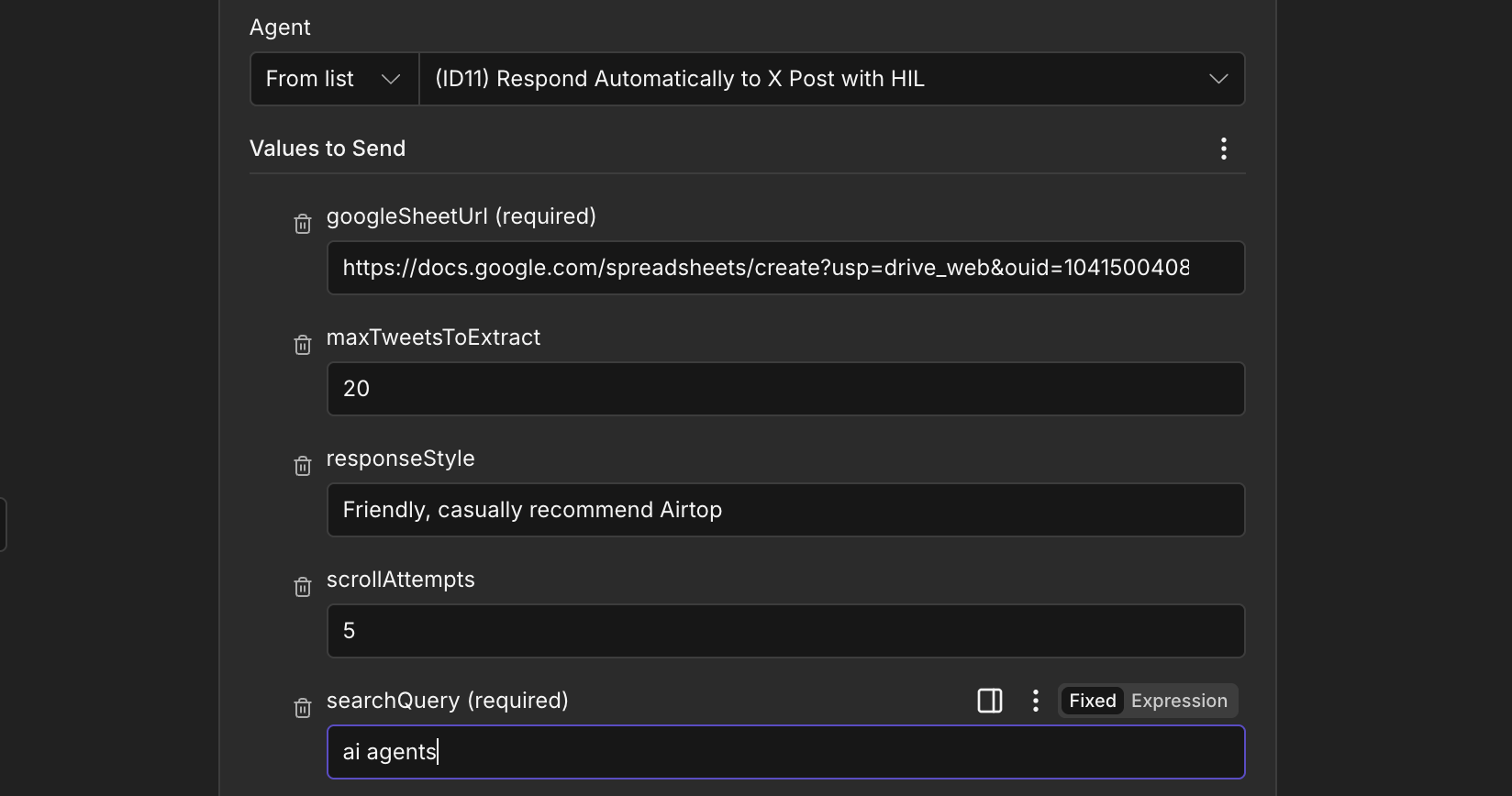
    Fill the agent's input parameters in the section "Values to Send".

    <Frame>
      <img src="https://mintcdn.com/airtop/l9Pt7x0vmm20HtfL/images/connections/n8n-node-agent-parameters.png?fit=max&auto=format&n=l9Pt7x0vmm20HtfL&q=85&s=6e6900e547fb021b34f95a273e7e6d93" alt="Set agent parameters" width="1648" height="868" data-path="images/connections/n8n-node-agent-parameters.png" />
    </Frame>
  </Step>

  <Step title="Run the workflow">
    Save your changes and execute the workflow to test the integration.
  </Step>
</Steps>