> ## Documentation Index
> Fetch the complete documentation index at: https://www.airtop.ai/docs/llms.txt
> Use this file to discover all available pages before exploring further.

# Connect Airtop with Make

> Connect Airtop Agents with Make to create code-free automations and integrate with hundreds of apps and services.

## Overview

[Make](https://www.make.com) is a visual platform that allows you to design, build, and automate workflows without writing code. After you **deploy** your Agent, you can trigger it directly from Make and process the results within your scenarios.

<iframe src="https://www.youtube.com/embed/kLa1AScZuss" title="YouTube video player" frameborder="0" className="w-full aspect-video rounded-xl" allow="accelerometer; autoplay; clipboard-write; encrypted-media; gyroscope; picture-in-picture; web-share" allowfullscreen />

## Run your deployed Agent from Make

<Steps>
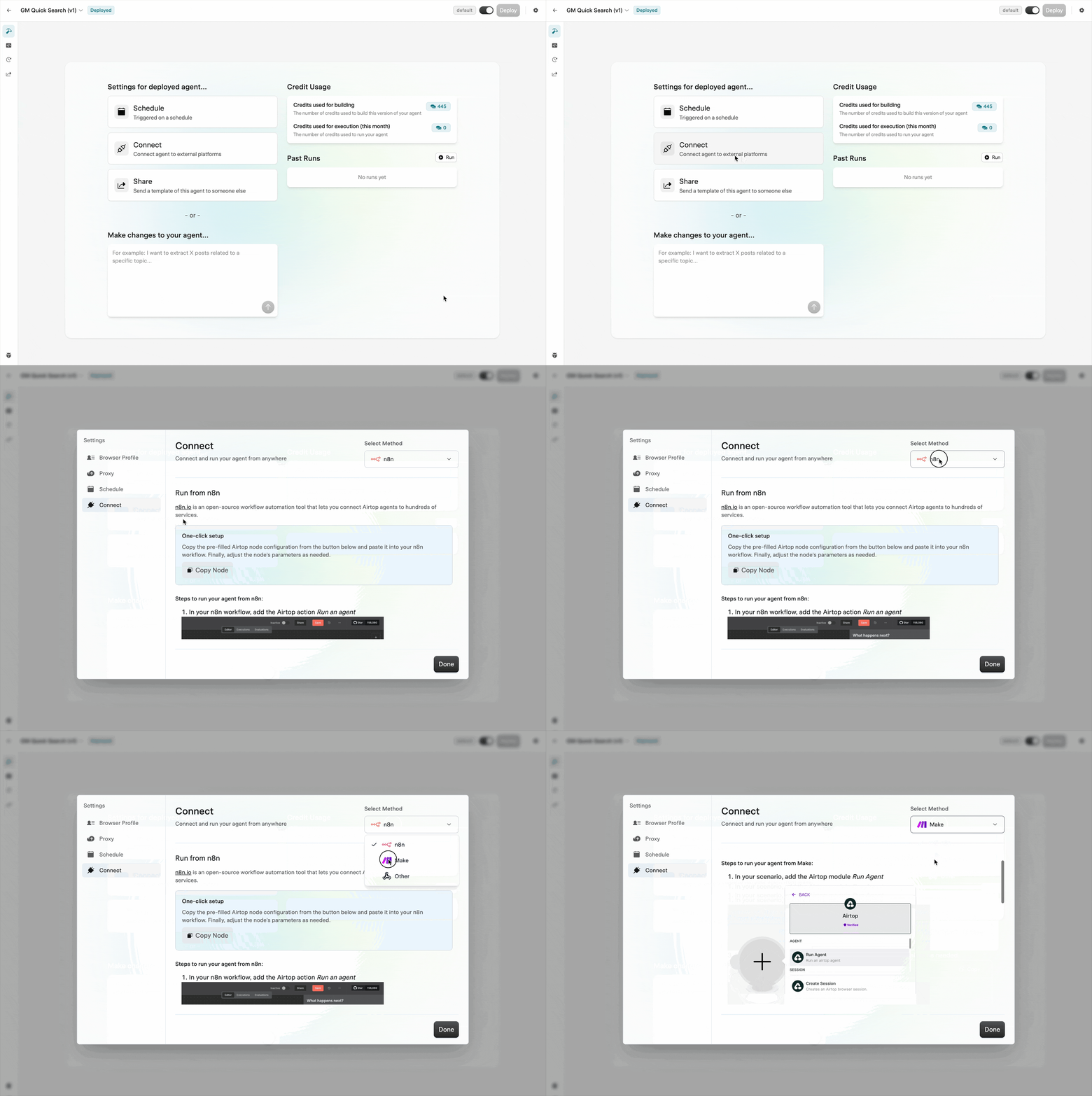
  <Step title="Open connection settings">
    Navigate to your Agent's build page and click **Connect**.

    <Frame>
      <img src="https://mintcdn.com/airtop/oHpPXySgqpXkyznL/images/connections/make-open-connect-settings.gif?s=bfc050e0dea42d80d1a32a7549845dbd" alt="Open connection settings for Make" width="2764" height="1850" data-path="images/connections/make-open-connect-settings.gif" />
    </Frame>
  </Step>

  <Step title="Add the Airtop module">
    In your Make scenario, add the Airtop **Run Agent** module.

    <Frame>
      <img src="https://mintcdn.com/airtop/oHpPXySgqpXkyznL/images/connections/make-add-agent-module.png?fit=max&auto=format&n=oHpPXySgqpXkyznL&q=85&s=14298762cc1ac92ff5e1e3b44bfe0591" alt="Add Run Agent module in Make" width="1396" height="776" data-path="images/connections/make-add-agent-module.png" />
    </Frame>
  </Step>

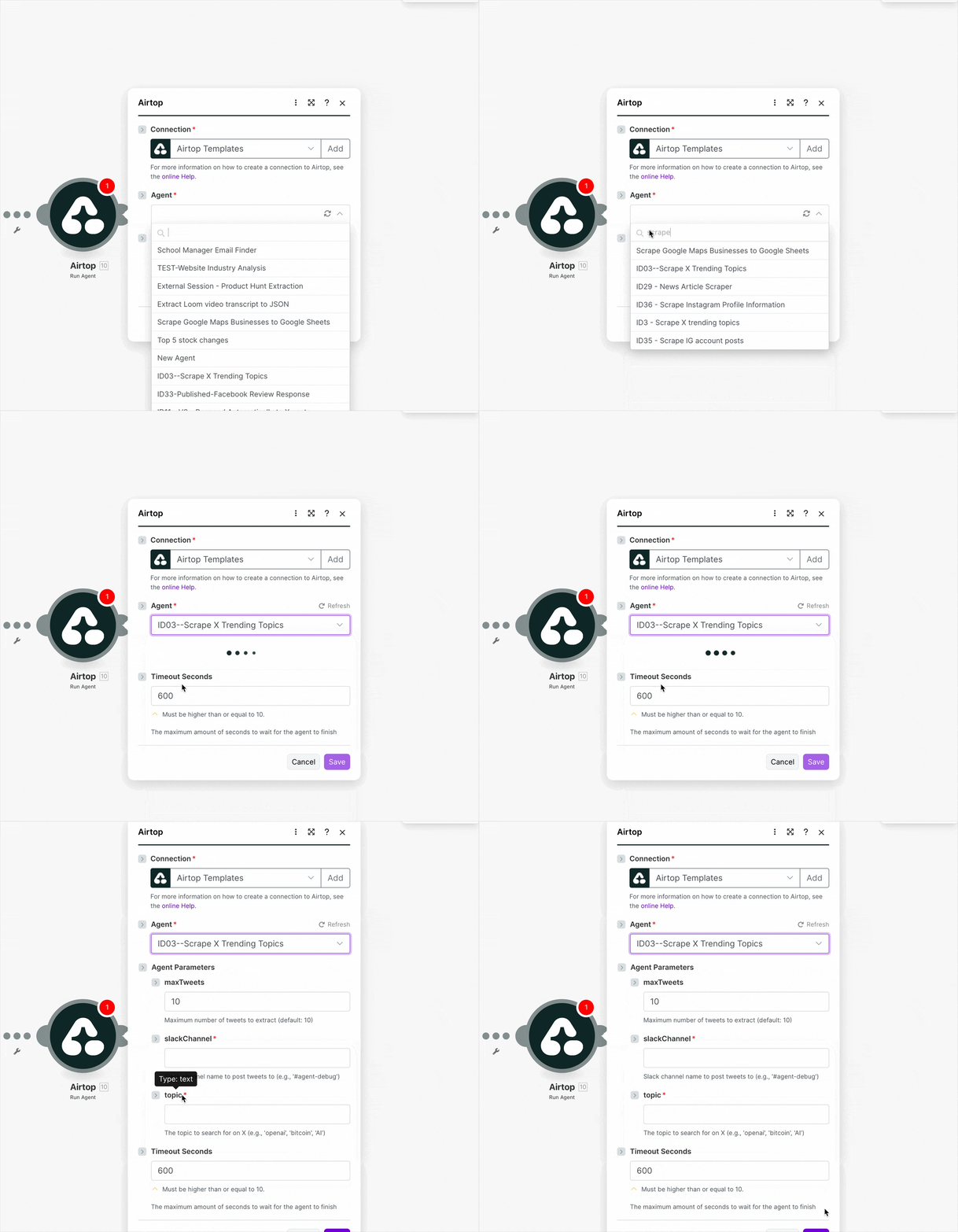
  <Step title="Set Agent parameters">
    Select your agent from the dropdown and configure the parameters as needed.

    <Frame>
      <img src="https://mintcdn.com/airtop/PSYahvMH3CyB5Jru/images/connections/make-agent-mod-config.gif?s=b560c6eed278e462174d35aed5393a44" alt="Make module configuration" width="960" height="823" data-path="images/connections/make-agent-mod-config.gif" />
    </Frame>
  </Step>

  <Step title="Run the scenario">
    Save your changes and run the scenario to test the integration.
  </Step>
</Steps>